Choose a source
Drop a Lightroom Classic .lrcat file or a folder of photographs. Catalogs, originals, and EXIF data are read locally and read-only.
Native macOS photo analysis
LensAtlas turns a Lightroom catalog or a folder of photographs into a clear report of your real camera, lens, capture, keeper, and image-quality patterns.
From archive to evidence
LensAtlas is focused on the information already in your photographs: what you used, how often you used it, and what the images reveal.
Drop a Lightroom Classic .lrcat file or a folder of photographs. Catalogs, originals, and EXIF data are read locally and read-only.
A quick pass surfaces EXIF, bodies, lenses, capture settings, dates, ratings, picks, folders, and Lightroom collections.
A detailed background pass adds image-quality signals while the report stays responsive and updates as results arrive.
The report
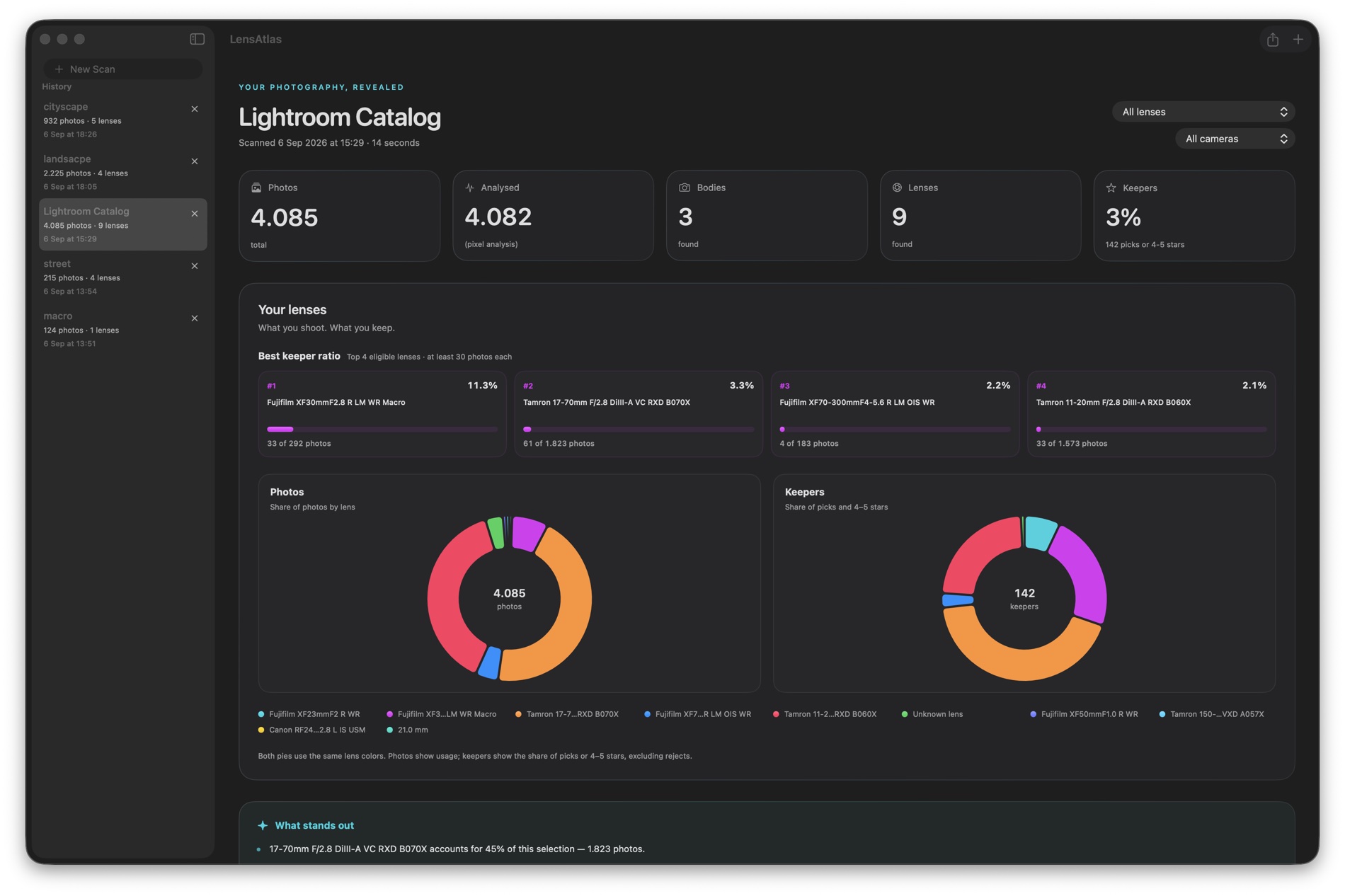
Start with totals and keeper rate, then move through the charts that explain them. LensAtlas keeps the same measurements across the report so comparisons stay clear.
Features
LensAtlas stays focused on scanning, comparing, and explaining the data already present in your photographs.
Scan a Lightroom catalog or a photo folder. JPEG, TIFF, DNG, RAW, PSD, PSB, and other ImageIO formats with EXIF are supported.
See useful metadata quickly, then let detailed image analysis run in the background with progress and ETA.
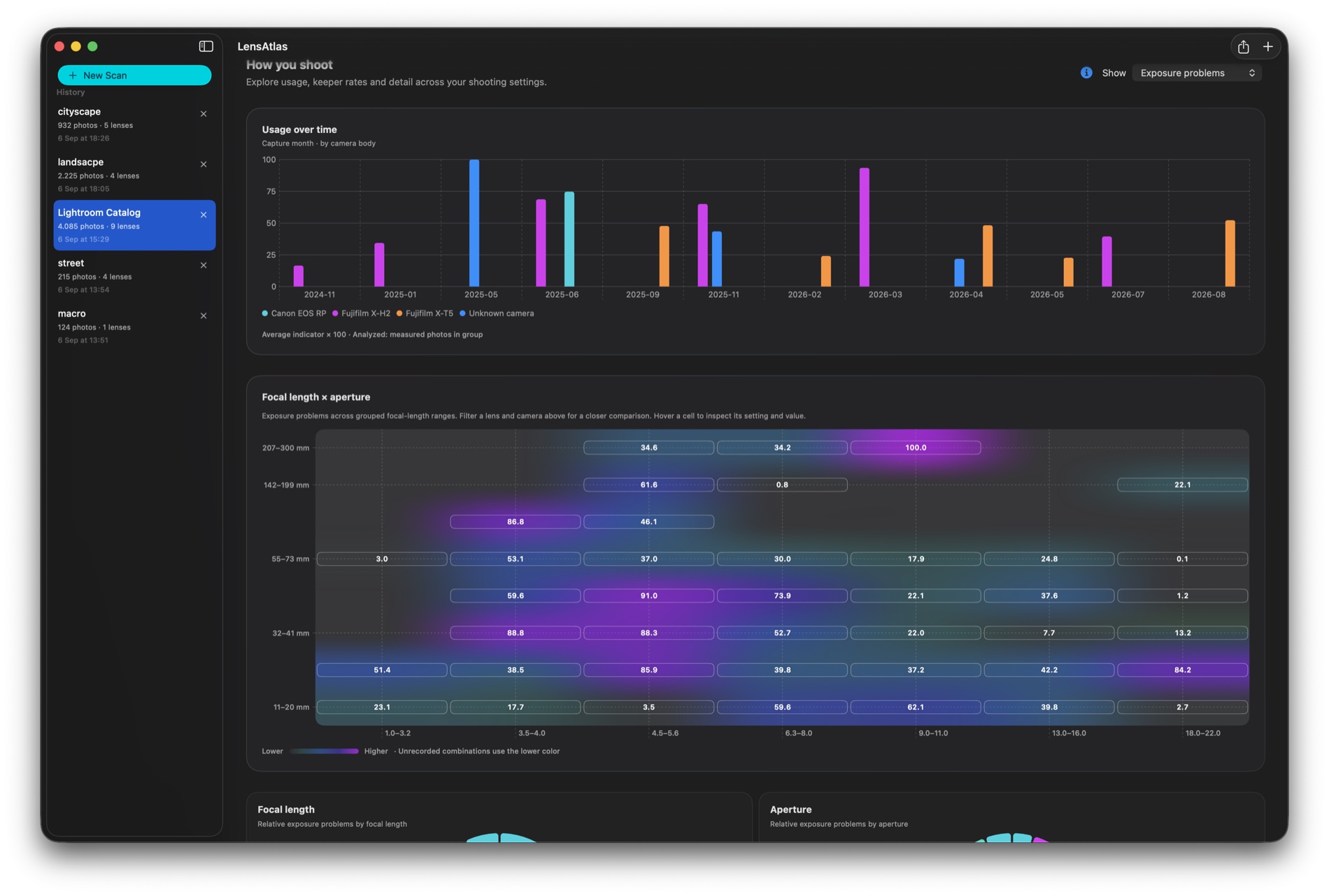
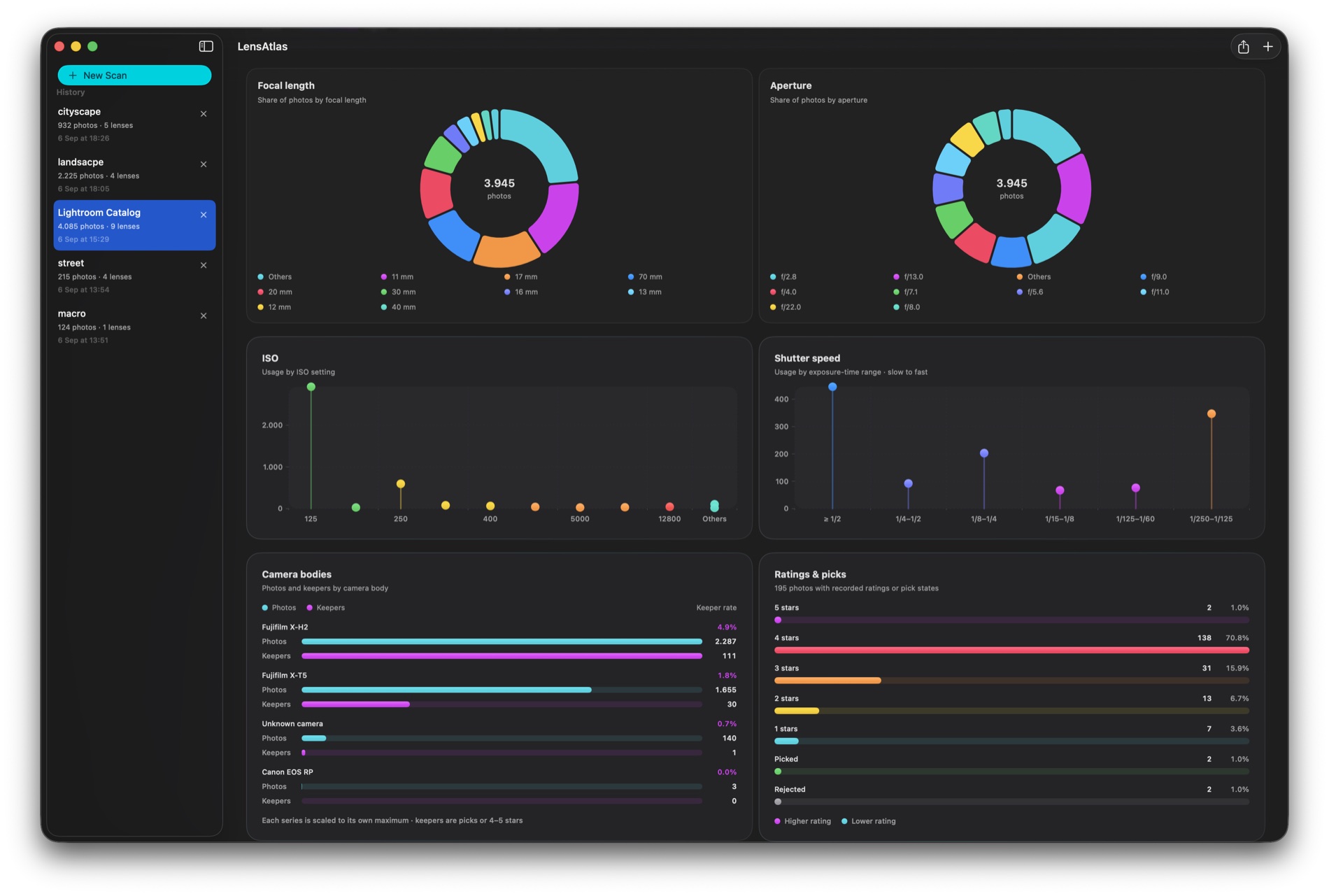
Compare body and lens usage, keeper ratios, focal length, aperture, ISO, shutter speed, ratings, picks, and time.
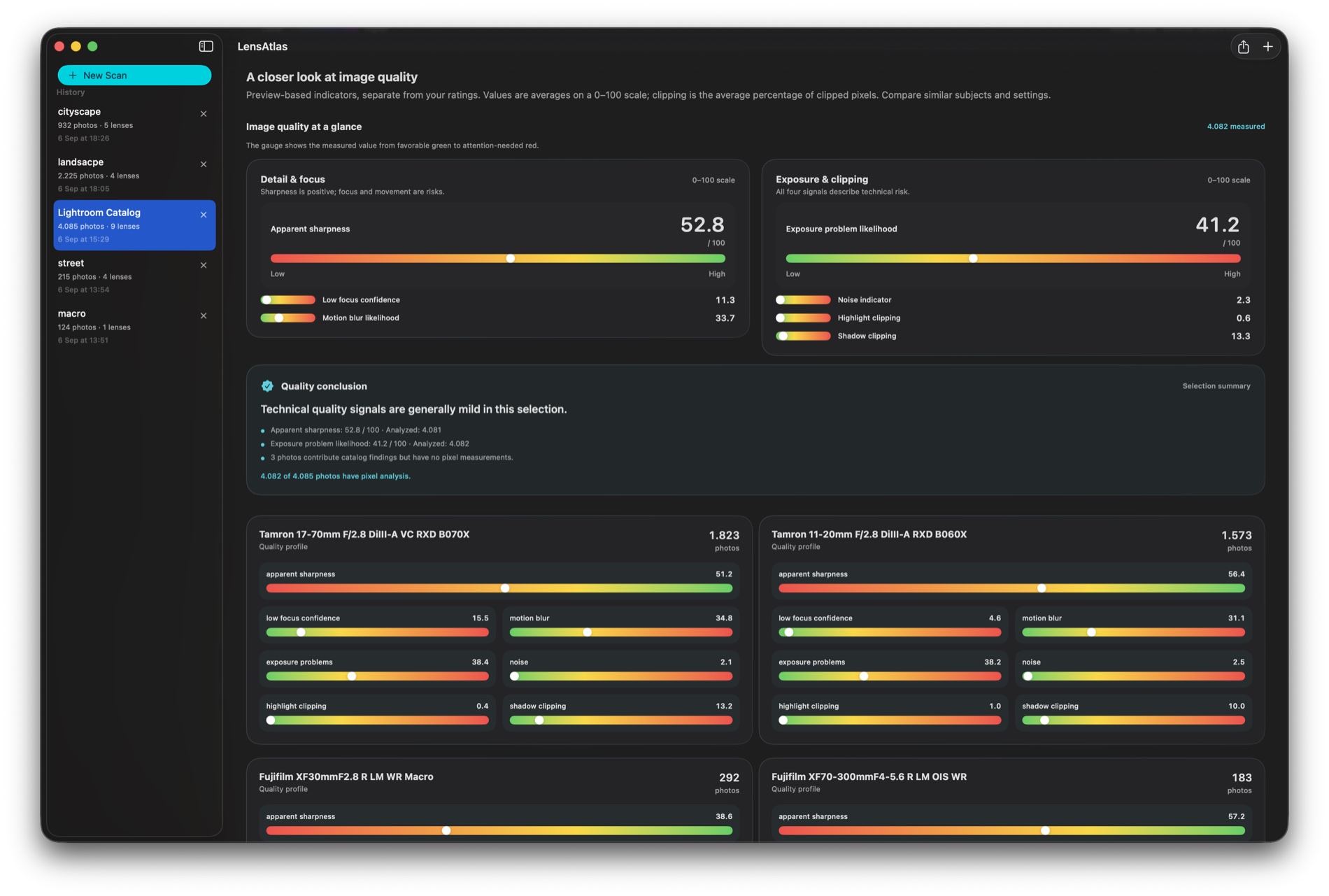
Review apparent sharpness, focus confidence, motion blur, exposure problems, noise, and clipping on a consistent 0–100 scale.
Explore pies, lollipops, grouped bars, gauges, and a focal-length × aperture heatmap that groups large datasets automatically.
Open cumulative body and lens reports with scan-derived usage, measured quality, and optional public specifications and images.
Print or export the exact filtered report as a paginated DIN A4 PDF, preserving the selected metrics, charts, locale, and orientation.
No account, cloud library, tethering, or camera control. Catalogs, photos, and EXIF stay on your Mac.
A closer look
Four views of the same native macOS workflow: summary, shooting patterns, capture choices, and image quality.

Mac by design
SwiftUI and AppKit, native file pickers, drag and drop, background analysis, the standard print dialog, and a restrained Liquid Glass interface for the latest macOS.
Useful answers
LensAtlas scans a Lightroom Classic catalog or a folder of photographs. It reads catalog metadata, linked-file metadata, XMP, and available EXIF from supported image files.
No. LensAtlas opens catalogs read-only and does not modify catalogs, folders, originals, or sidecars.
Pass 1 reads metadata quickly so the report becomes useful early. Pass 2 analyzes bounded previews in the background and adds image-quality signals without blocking the interface.
No. They are consistent, preview-based signals for comparing photographs in your own archive. They are not lens-lab measurements or a verified missed-focus rate.
No photo, catalog, or EXIF data is uploaded. If you enable public gear enrichment, only a normalized manufacturer/model term is used for the lookup.
LensAtlas
Scan locally. Compare clearly. Keep the report.